How to Synchronize Twin Engines (RPM and Trim)
Twin engines running at slightly different RPM cause a pulsing drone, extra vibration, uneven wear and wasted fuel. Learn how to sync them by tach, sync gauge or ear, use the one-button sync on digital controls, check that your tachs tell the truth, match trim, and know when uneven engines or cable adjustment are a dealer job.
Time
45 min
Shop would charge
$150-400
Applies to
Outboard, Sterndrive (I/O), Gas inboard, Marine diesel · Center console, Cabin cruiser, Yacht, Fishing boat, Bowrider / runabout
Safety first: Sync your engines in open water with plenty of room, light traffic and calm conditions, with one person driving and watching ahead at all times. Never stare at the gauges while the boat is moving fast. Don't adjust throttle or shift cables at the engine while it is running, and never reach near belts, linkages or a spinning propeller.
Owners often ask
- My twin engines make a pulsing drone at cruise. How do I get them in sync?
- Both tachs say the same RPM but I still hear the engines beating. Why?
This guide walks you through it. Still stuck? Ask the AI Mechanic about your engine.
Tools
- Your boat's tachometers or engine display (SmartCraft, Command Link, VesselView or similar)
- GPS speed readout (chartplotter or phone app)
- Notebook or phone for a simple RPM log
- Optional handheld optical (laser) tachometer to check the dash tachs
Parts & supplies
- None for syncing; throttle cable parts only if a technician finds wear
Before you start
"Sync" means both engines turn the same RPM (and, ideally, carry the same load) at the same lever position. When they are a little off, you hear and feel a slow "wah-wah" pulse or drone, the boat may pull slightly to one side, and one engine works harder than the other.
What you can do depends on your controls:
- Digital (electronic) controls, such as Mercury DTS, Yamaha's digital binnacles and similar systems from other makers, have a sync feature built in. Mercury describes one-button rpm sync across all engines, and Yamaha's twin binnacle offers automatic RPM synchronization. You mostly just need to know how to turn it on and when it works.
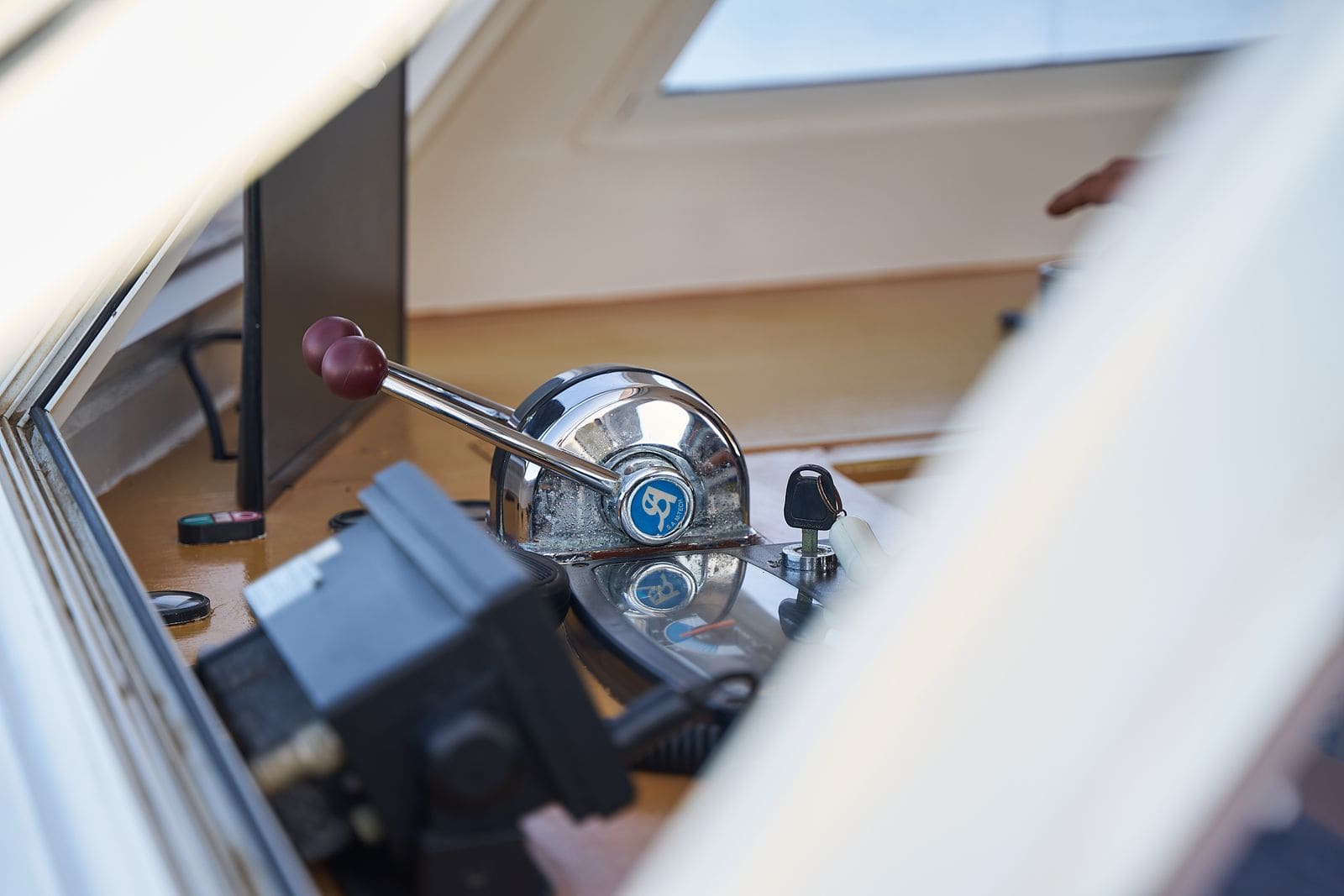
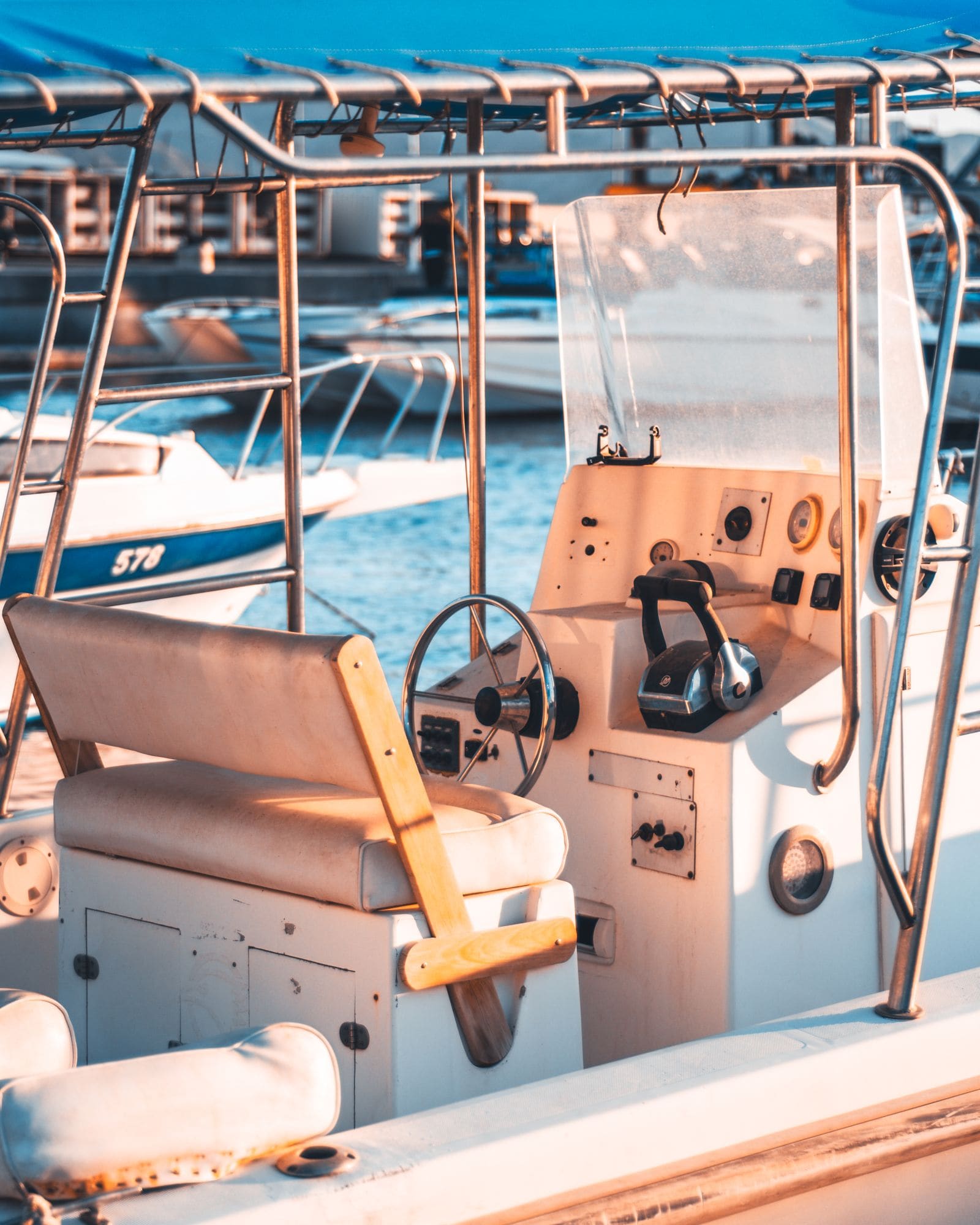
- Mechanical (cable) controls have no automatic sync. You match the levers by hand while watching the tachs, a sync gauge or listening for the pulse. Cable adjustment at the engine is covered in step 11.
Have a baseline first: note each engine's RPM at idle, at your usual cruise and at wide-open throttle (WOT), with a normal load. You will compare against it later.
Steps
On a calm day, set both engines to your normal cruise. Listen and feel the deck. A slow, rhythmic throb that speeds up or slows down as you nudge one lever is the classic sign of engines turning slightly different RPM. The closer they get, the slower the beat, until it disappears.
Syncing to two tachs only works if both tachs read correctly. Older tachs, especially ones driven from the alternator, can disagree even when the engines are turning the same speed.
- On engines with a digital display (SmartCraft, Command Link and similar), compare the gauge to the RPM shown in the engine data screen.
- With the engines at idle in neutral at the dock, a technician (or a careful owner standing well clear of moving parts) can compare each dash tach with a handheld optical tach aimed at a reflective mark on a pulley or flywheel.
- If one tach is off, fix the gauge first (see the gauges and tach troubleshooting guide). Otherwise you will "sync" the needles and still hear the beat.
Warm both engines up. In neutral, compare idle RPM. Modern fuel-injected engines set idle themselves, so a big difference there is a symptom, not an adjustment: one engine may have a sensor, air leak or fuel problem. On older carbureted engines, idle is adjustable per the service manual, which is usually a shop job. Write down what you see.
In open water, bring both levers up together to your cruise RPM. Then:
- Pick one engine as the "master" and leave its lever alone.
- Nudge the other lever in very small moves until both tachs match.
- Note how the levers sit. On many boats they end up slightly offset; that is normal and is what cable adjustment (step 11) can tidy up.
Some mechanical twin setups have a sync gauge (a needle that centers when both engines match) or a twin tach with a sync indicator. It compares the engines directly, so it is more precise than reading two separate needles. If you don't have one, finish by ear: after matching tachs, move the slave lever a hair at a time until the throb slows and fades out.
Check your control's manual for how sync works. In general:
- Sync is switched on with a button or happens automatically once both levers are close together and above a certain RPM.
- It turns off at low speed (for docking) and when you move the levers apart.
- An indicator light or display message usually shows when sync is active. If sync never engages, check that both levers are really in the same position and above the minimum speed. A sync feature that worked and then stopped is a question for the dealer, because it often comes with a fault code.
Two engines at the same RPM but different trim angles push differently: one prop is working at a different angle and may even be ventilating. Watch both trim gauges and bring them to the same reading when running straight. Mercury notes DTS has universal and independent trim buttons so you can trim engines together or one at a time. Use independent trim only to correct a deliberate need, such as a list from uneven load, and then re-center. Mercury's general trim advice applies to both engines together: trimmed fully in to get on plane, then out a little at a time once the boat settles at cruise, and back in for turns and head seas.
Twin sterndrives are harder because you can't see the drives under the swim platform, so the trim gauges are all you have. Mercury's MerCruiser advice for a sterndrive: start with the drive fully down, trim up gradually as you accelerate, no higher than about level with the waterline at first, and stop just before the bow starts to bounce (porpoise); that point is usually the most efficient. Bring both drives up together and check that both gauges read the same.
At wide-open throttle, briefly and with a clear course, note each engine's RPM. Both should land inside the WOT range listed in your owner's manual and close to each other. Discover Boating explains that over-trimming lets the prop ventilate: RPM climbs while speed drops. Trim both down a touch and repeat if one engine races.
Syncing hides a problem if one engine simply can't keep up. If one engine needs noticeably more lever to match the other, or tops out lower at WOT, check:
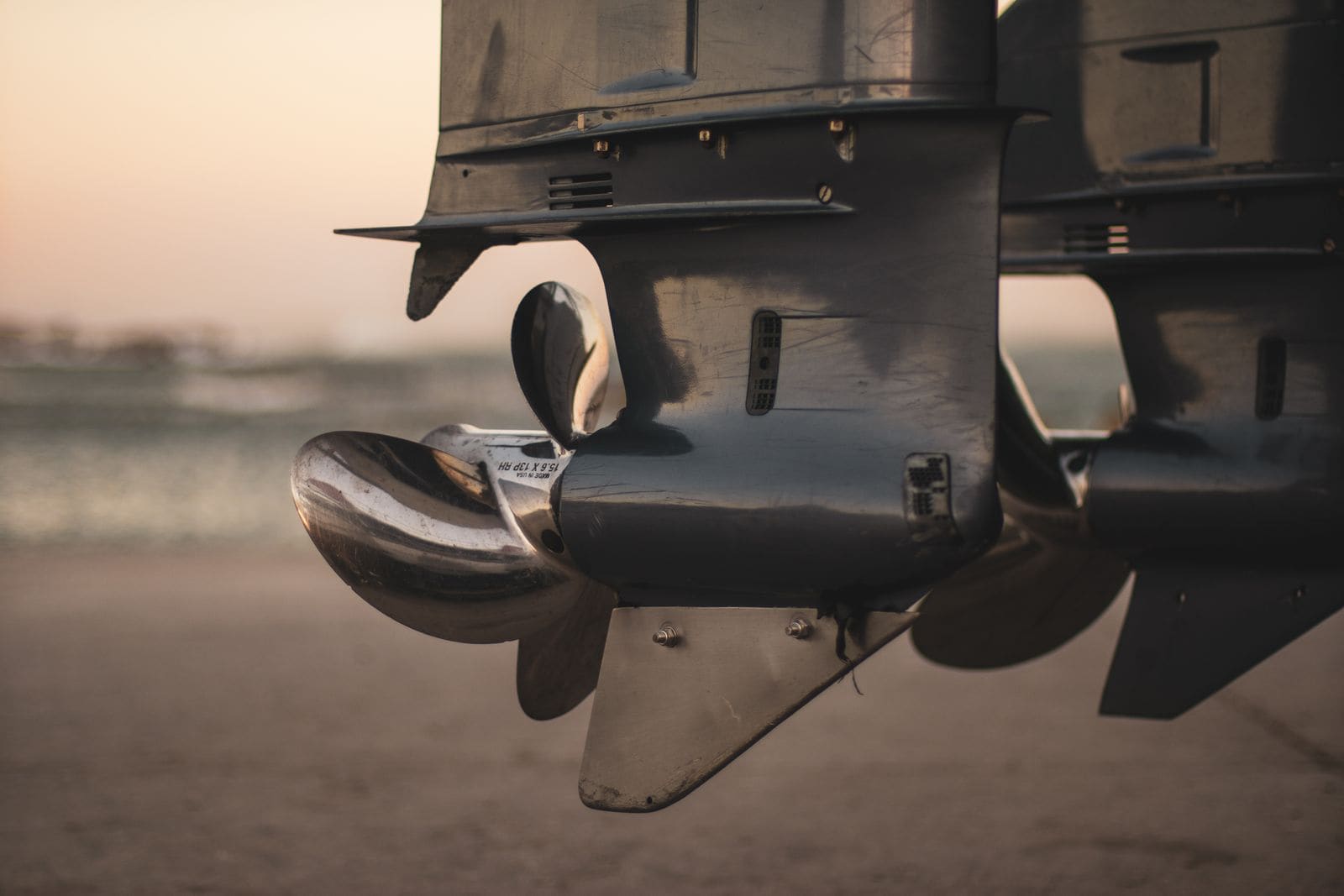
- The propellers. Twin boats usually run counter-rotating props, one left-hand and one right-hand, that should be the same size and pitch. A dinged, bent or wrong-pitch prop changes RPM and load. Yamaha points out that comparing top speed and RPM against your earlier numbers is one of the best ways to catch prop trouble. Yamaha also notes that sand and silt slowly wear down blade edges, so a prop that looks fine can still lose bite.
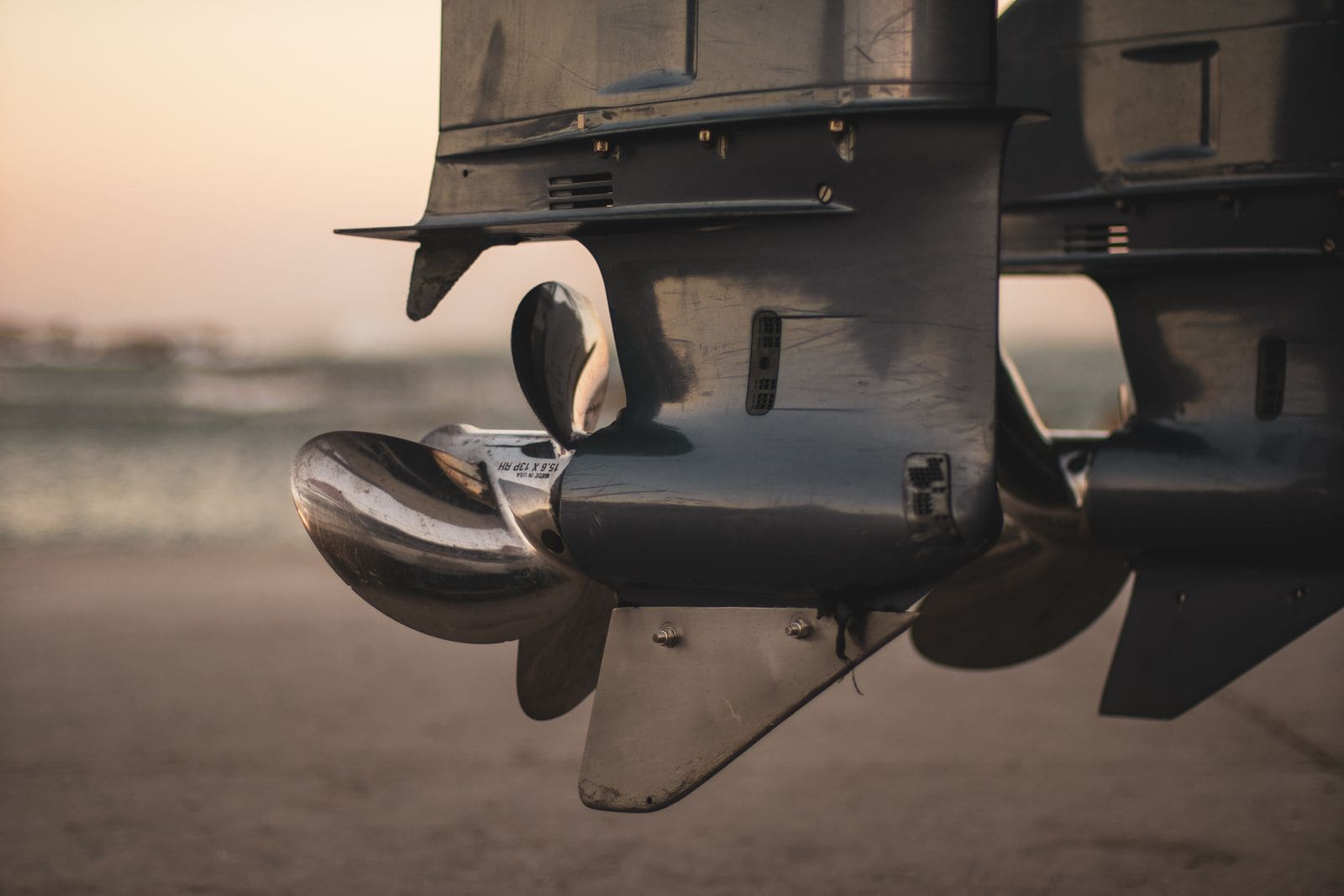
Each prop is stamped with its diameter, pitch and rotation (RH or LH). On twins, read both and make sure they match the pair the boat was rigged with. Photo: Stuart Reece / Pexels · Pexels License - Fishing line or weeds on one prop or one gearcase.
- Engine health: fuel filters, plugs and the usual loss-of-power checks on the weak engine. BoatUS notes that with twins, comparing one engine against the other is often the quickest way to spot which one has changed.
Write down the lever position, RPM, speed and trim for both engines at idle, cruise and WOT. Mercury's cruise-speed method (speed divided by fuel burn) works per boat; on twins, log total fuel flow. Next season, compare. A slowly growing gap between the engines is an early warning.
On cable controls, each throttle cable runs from the control box to the engine, where it attaches to the throttle lever with an adjustable end (barrel or clevis). Over time cables stretch and controls wear, so the levers stop lining up. The general idea a technician follows:
- With engines off, each cable is set so the engine's throttle lever rests fully at idle stop when the control lever is in neutral, and reaches full throttle when the control is at full forward.
- Both engines are then set so they respond at the same lever position.
- Shift cables are adjusted separately, with the engine off, so each shifts fully into gear and neutral (see the shift cable adjustment guide). Exact procedures and settings are in the engine service manual. A cable adjusted wrong can leave an engine unable to return to idle or reach full throttle, so if you are not confident, have it done by a dealer.
After cable replacement, a control box rebuild, a prop change or new engines, repeat steps 3 to 8. A short sea trial with a technician aboard is the easiest way to confirm everything matches.
Common mistakes
- Syncing the needles on two tachs without checking that the tachs read correctly.
- Leaving independent trim set differently and wondering why the engines sound out of step.
- Using sync to hide a weak engine instead of finding out why it can't keep up.
- Running mismatched props after a ding or a borrowed spare.
- Adjusting throttle cables at the engine while it is running.
- Expecting digital sync to work at idle or while docking; it is designed to switch off there.
When to call a pro
- One engine idles very differently, stumbles, or won't reach its WOT range.
- Digital sync stops working, or a warning light or fault code appears.
- Throttle or shift cables are stiff, sticky or don't return to idle.
- Levers no longer line up and you are not comfortable adjusting cables yourself.
- New vibration that doesn't go away when the engines are synced (see the vibration troubleshooting guide).
Tips
- On a calm day, close your eyes for a second at the helm (with someone else watching ahead): the beat is easier to hear than to see.
- Use your digital display's fuel-flow readout: if one engine burns clearly more fuel than the other at the same RPM, it is carrying more load.
- Keep a photo of where the levers sit when the engines are synced. It helps you notice when cables start to stretch.
Official references
We read these to write this guide. Your engine's own manual always wins.
- Mercury Marine – How Do You Operate Three or More Outboards on a Boat? (Dockline, DTS rpm sync and trim)
- Yamaha Outboards – Boat Rigging Controls (automatic RPM synchronization on twin binnacles)
- BoatUS – Troubleshooting Boat Vibrations
- Yamaha Outboards – Damaged Boat Prop 101 (top speed and RPM as a baseline)
- Discover Boating – How to Make a Boat Faster (trim, WOT RPM range)
- Mercury Marine – How to Find the Ideal Cruising Speed on Your Boat (Dockline)
- Mercury Marine – How to Trim Your Outboard for Optimal Performance (Dockline)
- Yamaha Outboards – Maintenance Matters, Propeller Solutions
- Mercury Marine – How to Trim Your Boat's Sterndrive Efficiently (Dockline)
Safety: BoatMend is for information only and does not replace a certified marine technician. You are responsible for your safety and your boat. Read the full disclaimer.
Last updated 2026-10-25
Related guides
How to Troubleshoot Dash Gauges, a Dead Tachometer or a Wrong Fuel Gauge
Work through dead or wrong dash gauges from the cheapest check to the most involved: fuses and breakers, power and ground, the gauge-versus-sender test, the tachometer's pulse setting and the extra checks for digital network gauges. Most gauge problems turn out to be a bad connection, not a bad gauge.
How to Check and Adjust Boat Shift and Throttle Cables
Hard shifting, a lever that will not go fully into gear, or a gear that lands in a different spot every time usually point to the control cables. Learn how to find out whether the problem is the cable, the control box or the engine, how to adjust the cable ends, and when it is time to replace both cables.
Remote Control Box Troubleshooting: Stiff Lever, Won't Crank, Trim Switch
The throttle and shift control at the helm (side-mount or binnacle) takes a beating. Learn how to find out why the lever is stiff, why the engine will not crank even with a good battery, why the trim button on the handle quit, and when the whole control box should be replaced along with its cables.
Propeller Care: Inspect, Remove, Replace and Choose the Right Pitch
Check your prop for damage, pull it to clear fishing line and grease the shaft, reinstall it correctly, and learn how pitch affects your engine's wide-open-throttle RPM. The right prop in good shape protects your engine and often makes the boat run better and use less fuel.
Outboard or Sterndrive Vibration - Troubleshooting Guide
Track down a new shake or buzz by noting when it happens (neutral or in gear, which rpm), then check the prop, hub, shaft, mounting bolts, motor mounts, engine height and misfires in order, from the simplest to the most serious.

How to Get Better Fuel Economy From Your Boat
Boat fuel is expensive, but most owners can stretch every gallon further without buying anything. Learn how to find your boat's most efficient cruise RPM, why a clean bottom, the right prop, good trim and less weight matter most, which tune-up items count, how fuel flow data helps, and which fuel-saving myths to ignore.
How to Sea Trial Your Boat After Maintenance or Repair
A step-by-step test run after service work: dock checks first (leaks, fluids, steering, kill switch), then a gradual climb through the RPM range while you watch temperature and pressure, a wide-open-throttle check against your engine's spec, shifting and trim tests, and a bilge check afterward. Catch a loose clamp or a missed step at the dock, not miles out.